

Visibility
Beyond
Tracking.
Keep all import shipments, containers, purchase orders and key dates in one place — regardless of which freight forwarder handles your cargo.
- Shipments, containers & purchase orders in one place
- Independent of your freight forwarders
- Complements your freight forwarding system — without replacing it
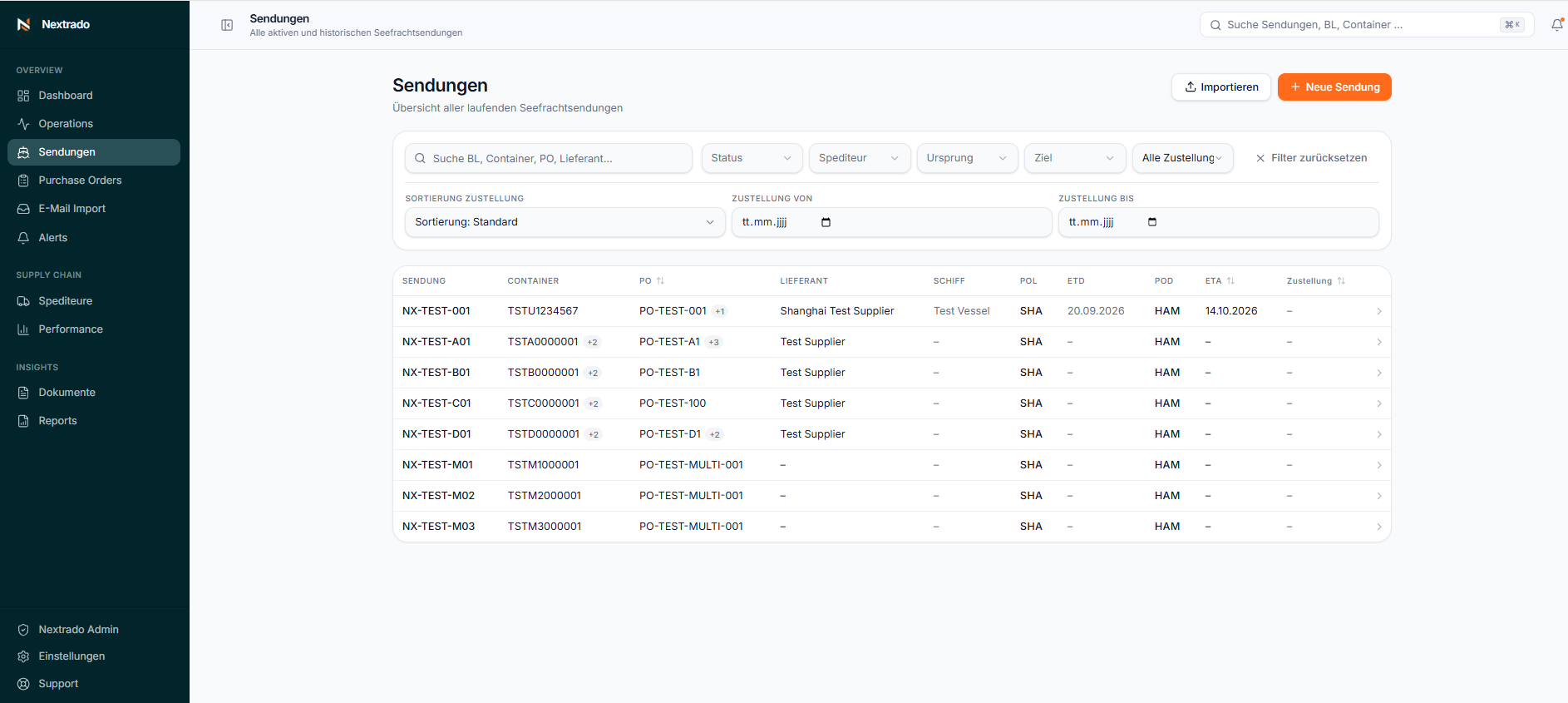
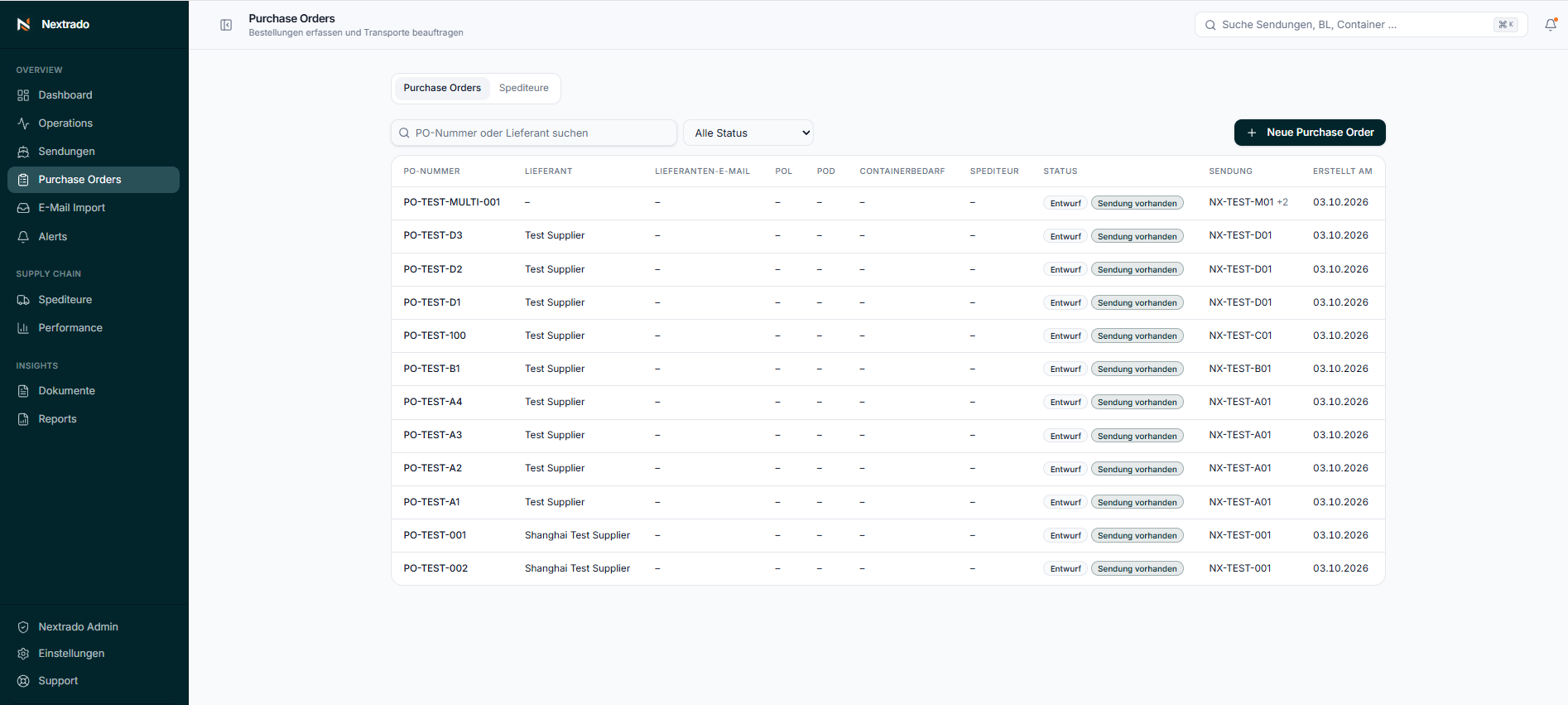
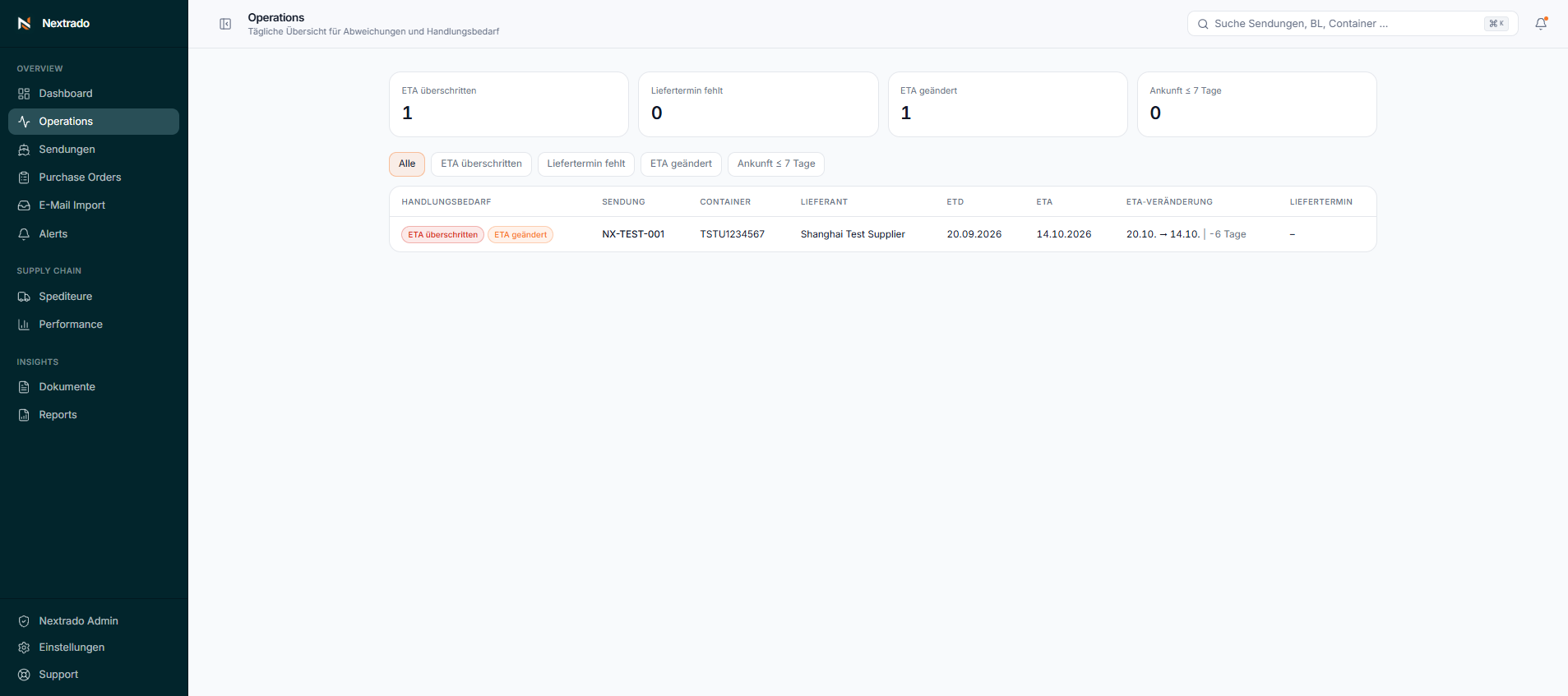
Import information is often scattered across multiple sources.
Working with multiple suppliers and freight forwarders often means managing fragmented information. Nextrado brings it together in one central view.
- Status updates arrive by email
- Each freight forwarder provides a separate spreadsheet
- Containers, purchase orders and dates are spread across different sources
- ETA changes are tracked manually
- Documents are scattered across inboxes and folders
- Issues requiring action often become visible too late
Manage your import processes in one central platform.
From purchase orders and transport commissioning to operational oversight, Nextrado brings the relevant import processes together in one central platform.
As an independent Import Control Tower, Nextrado helps importing companies organize their import operations transparently and simplify collaboration with their freight forwarders.
- 01
Purchase Order Management & Transport Commissioning
Create purchase orders, record suppliers, routes and container requirements, select a freight forwarder and commission transport directly from Nextrado.
- 02
Shipment & Container Management
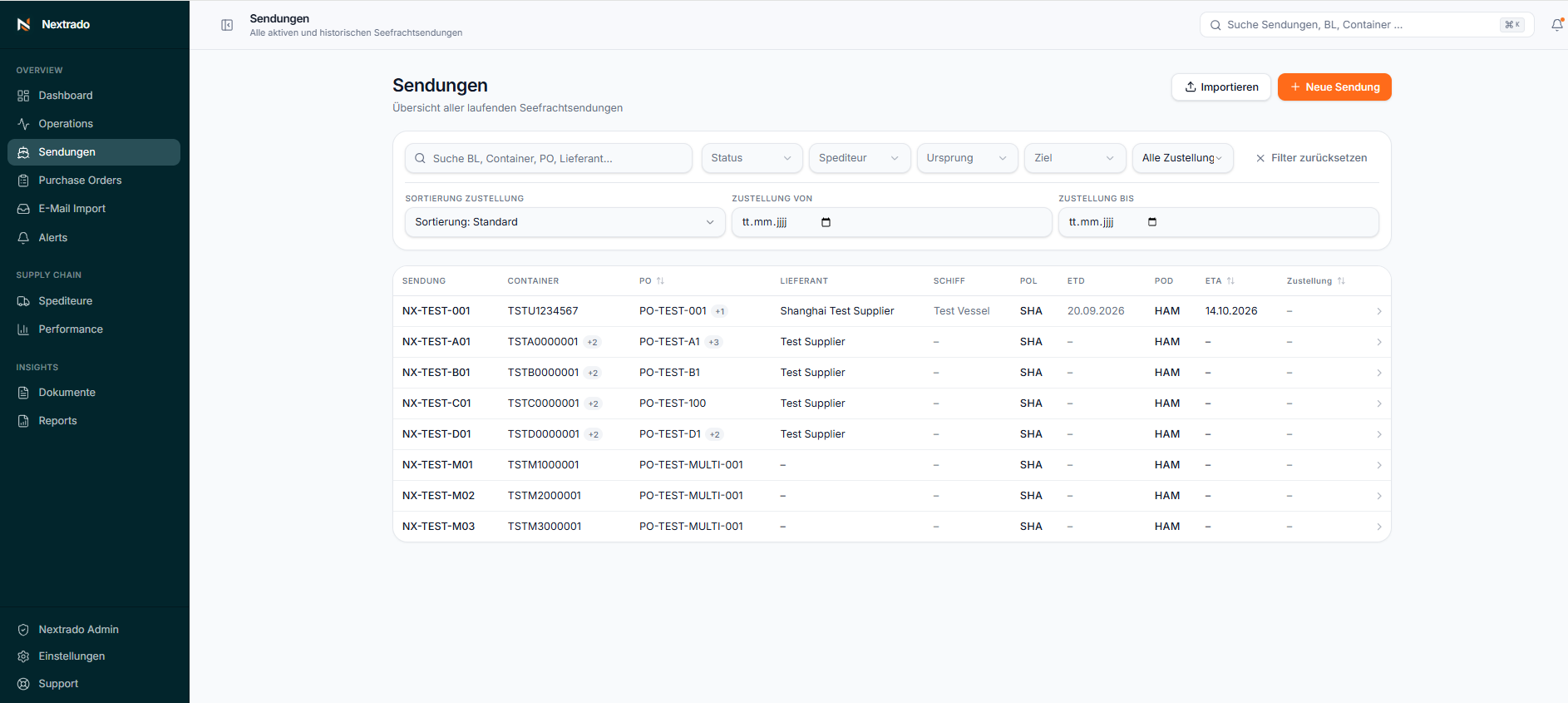
Manage shipments, containers, ETD, ETA, routes and assignments centrally, with a clear overview at all times.
- 03
Operations & Action Required
Identify ETA changes, upcoming arrivals, missing information and operational issues in one consolidated view.
- 04
Data Import
Bring in shipment data manually, via Excel/CSV or through spreadsheets from freight forwarders, and review it before importing.
- 05
Document Management
Store bills of lading, invoices, packing lists, arrival notices and other documents centrally, linked directly to the relevant shipment.
- 06
Reporting & Performance
Analyze import volumes, routes, ETA changes, data completeness and other operational metrics, and export them to Excel or CSV.
Build one central source for your import data.
Bring import data from different sources together in Nextrado and make it centrally structured and accessible.
- 01
Purchase Order Management
Create orders & commission transports
- 02
Manual Entry
Create shipments directly in the platform
- 03
Excel / CSV Import
Import existing shipment data in bulk
- 04
Excel via Email
Review and import files received from freight forwarders
One central data source for your import processes.
Frequently asked questions
What is Nextrado?
Nextrado is an Import Control Tower for importers. It brings purchase orders, shipments, containers, dates, documents and operational action requirements together in one central interface.
Who is Nextrado for?
For import companies looking to manage their import processes centrally — particularly ocean freight — and maintain visibility independently of individual freight forwarders.
Does Nextrado replace my freight forwarding system?
No. Nextrado does not replace an operational freight forwarding or transport management system. It complements existing processes and provides a central view of your imports across multiple freight forwarders.
How does my data get into Nextrado?
Shipments can be created manually or imported from Excel/CSV files. Approved freight forwarders can also send spreadsheets to a dedicated import email address, making them available for review in Nextrado.
Can I manage purchase orders and transport directly in Nextrado?
Yes. Purchase Order Management lets you create orders, record suppliers, routes and container requirements, select freight forwarders and commission transport. This creates a linked shipment directly in Nextrado.
Can Nextrado work with multiple freight forwarders?
Yes. Shipments handled by different freight forwarders can be brought together in a shared overview within your organization and managed centrally.
Do I need an API connection or IT integration to use Nextrado?
No. Nextrado can be used without a direct system integration. Data can be entered manually, imported via Excel/CSV or brought in through supported freight forwarder files. Integrations can be added later.
Where is my data stored and processed?
Nextrado uses modern cloud infrastructure and European regions for its services where available. For details on data processing, please see our Privacy Policy.